Unlike the common assumption, marketers and content teams can and do use a headless CMS. Modern platforms offer visual editing interfaces that let non-technical users build pages and publish independently without developer support.
In this guide, we break down the top headless CMS platforms with great visual editing experiences, so you can find the right fit for your team.
TL;DR (key takeaways)
- All six platforms covered in this guide offer strong visual editing capabilities, but each is built for a different kind of team and workflow.
- Prismic is best for marketing teams that want to build and publish on-brand pages independently using a slice-based page builder and AI-powered landing page generation.
- Unlayer is best for SaaS teams looking to embed a no-code drag-and-drop editor directly into their own product.
- Contentful is best for enterprise teams that need brand guardrails, personalization, and a visual editor with built-in strong governance.
- Sanity is best for teams that want a fully customizable editing environment where content is stored as structured data and can power any channel.
- Storyblok is best for teams that want something close to a traditional WYSIWYG experience without giving up the flexibility of a headless architecture.
- Builder.io is best for teams that want to combine visual page building with native experimentation and audience targeting in a single tool.
How we chose our list of top headless CMS with the best visual editing experience
The platforms on this list were selected based on how well they serve content and marketing teams that need to build and edit pages visually, without relying on developers for every change.
We looked at the depth and quality of the visual editing experience, how much creative freedom editors actually have once the platform is set up, and how quickly a non-technical user can go from opening the editor to publishing a page.
The table below provides a brief summary of our findings; more details are provided later in the article.
Learn more about headless CMS
Explore our headless CMS guides, which cover the subject matter in detail.
| Platform | Best for | Visual editing strengths | Limitations |
|---|---|---|---|
| Prismic | Marketing teams that want to build and publish on-brand pages independently | Visual Page Builder, live preview, drag-and-drop editing, slice variations, real-time collaboration, autosave, SEO controls | New users need time to understand how slices work |
| Unlayer | SaaS teams that want to embed a no-code page builder directly into their product | Drag-and-drop editor, content blocks, forms, advanced customization, SEO controls | Not a standalone CMS; some advanced features require developer setup |
| Contentful | Enterprise teams that need brand guardrails and personalization built in | Contentful Studio, live preview, inspector mode, design tokens panel, shareable preview links, brand guardrails | Live preview SDK requires developer setup; steep learning curve |
| Sanity | Teams that want a fully customizable editing environment built around structured content | Presentation tool, click-to-edit overlays, drag-and-drop page building, Canvas | Presentation tool requires developer setup; strict CSP headers can block the preview |
| Storyblok | Teams that want to edit directly on the live page with a true WYSIWYG experience | In-context editing, built-in image editor, real-time preview, component-based page building | Strict CSP headers can block the Visual Editor from loading |
| Builder.io | Teams that need visual editing, combined with native A/B testing and audience targeting | Components-only mode, Visual Sections, built-in A/B testing, and heatmaps | SDK integration is required before content teams can use the Visual Editor |
Top headless CMS platforms for visual editing
1. Prismic
Best for: marketing teams that want to build and publish on-brand pages independently
Prismic is a headless website builder designed for both developers and marketing teams to work fast and independently. Developers build reusable page components through a local development tool, and marketers use those components to assemble and publish pages visually, without developer involvement.
Visual editing strengths
- Visual Page Builder: An editing interface that allows you to assemble pages from pre-approved, reusable page sections called slices, so every page stays on-brand without needing design or developer sign-off each time.
- Live preview: You see exactly how your content looks on the page as you build, before anything goes live.
- Drag-and-drop editing: You can rearrange, copy, and swap slices freely, making it easy to test different page structures and content angles without technical help.
- Slice variations: A single slice can have multiple design variations, giving you visual flexibility without creating extra work for your developers.
- Real-time collaboration: You and your teammates can work on the same page simultaneously, with field-level presence indicators showing who is editing what, so no one overwrites anyone else's work.
- Autosave: Your edits are captured as you work, so you don’t have to manually save.
- SEO and metadata controls: You manage your own metadata and SEO fields directly in the page builder, without touching code.
Limitations
- New users, particularly those unfamiliar with headless CMS, will need time to understand how slices work and feel comfortable working in the platform.
Pricing
- Free
- Starter ($10/month)
- Small ($25/month)
- Medium ($150/month)
- Platinum ($675/month)
- Enterprise (Custom)
2. Unlayer
Best for: teams that want to embed a no-code page builder directly into their product
Unlayer is not your traditional headless CMS. It is an embeddable, API-driven content creation toolkit that SaaS companies integrate directly into their own platforms, giving their users a drag-and-drop editor for emails, landing pages, and documents without building or maintaining one from scratch.
Visual editing strengths
- Drag-and-drop editor: Allows users to build and design landing pages visually without writing a single line of code.
- Content blocks: Allows users to save and reuse sections across multiple pages, making it easy to maintain design consistency at scale.
- Forms: Users can build and embed customizable forms with fields, buttons, and integrations directly within the page editor.
- Advanced customization: Unlayer gives users access to features like countdown timers, custom code injection, and advanced styling options for more complex page requirements.
- Content blocks: Allows users to save and reuse sections across multiple pages, making it easy to maintain design consistency at scale.
- SEO controls: Allows users to manage meta tags, titles, and descriptions for each page without leaving the editor.
Limitations
- Unlayer is not a standalone headless CMS, so it may not be a good fit for teams that need a full content management system with things like structured content and content modeling.
- Some advanced features are locked behind paid plans, so the platform could quickly become expensive for those looking to get the most out of it.
- Some custom functionality and advanced configurations still require developer involvement to set up.
Pricing
- Free
- Launch ($250/month)
- Scale ($750/month)
- Optimize ($2000/month)
3. Contentful
Best for: enterprise teams that need brand guardrails and personalization built in
Contentful is a headless CMS and digital experience platform that combines content management with built-in personalization, AI-assisted content creation, and audience analytics.
Visual editing strengths
- Contentful Studio: A visual editor that lets marketers build and update pages independently
- Live preview: Editors can preview content changes in real time alongside the entry editor, with updates reflecting instantly in the preview pane without refreshing or switching tabs.
- Inspector mode: Allows editors to click on any element in the preview pane to jump straight to its source field in the editor. This way, users don’t need to hunt through the content model to find what they want to change.
- Design tokens panel: Allows teams to tweak colors, fonts, and spacing globally and see changes reflected instantly across every page.
- Shareable preview links: Teams can share a preview with colleagues in one click to gather feedback before publishing.
- Brand guardrails: Contentful Studio lets you define brand rules once, and every team member creates within those boundaries automatically, so there is no need for manual oversight or constant design reviews to keep pages on brand.
Limitations
- Live updates and inspector mode both require a developer to install and initialize the live preview SDK before editors can use them.
- The platform has a steep learning curve, and the various features and configuration options can feel overwhelming initially.
Pricing
- Free
- Lite ($300/month)
- Premium (custom pricing)
4. Sanity
Best for: teams that want an editing environment built around structured content
Sanity is a content backend that also comes with a powerful editing interface. It stores everything as structured, queryable data in what it calls the Content Lake, which means the same content can power a website, a mobile app, an AI agent, or all three at once.
Visual editing strengths
- Presentation tool: Allows editors to browse the live frontend directly inside Sanity Studio—the platform’s editing interface—with the actual page rendered in a side-by-side pane alongside the content editor.
- Click-to-edit overlays: Editors can click on any piece of content in the preview pane and be taken directly to the corresponding field in the document editor, removing the need to hunt through the content model manually.
- Drag-and-drop page building: The Presentation tool supports drag-and-drop reordering of content blocks, allowing editors to visually rearrange page sections without touching any configuration.
- Canvas: A writing space where teams can draft and collaborate. Once the content is ready, it automatically maps to the right fields in any Sanity Studio document type, so editors don’t have to copy-paste content.
Limitations
- Developers have to set up the presentation tool before editors can use it.
- For the visual preview to work inside Sanity Studio, the frontend has to be embedded directly within it. If the site has strict Content Security Policy headers, this embedding will be blocked, and a developer will need to adjust those settings before editors can use the preview at all.
Pricing
- Free
- Growth ($15/user/month)
- Enterprise (custom)
5. Storyblok
Best for: teams that want to edit directly on the live page with a WYSIWYG experience
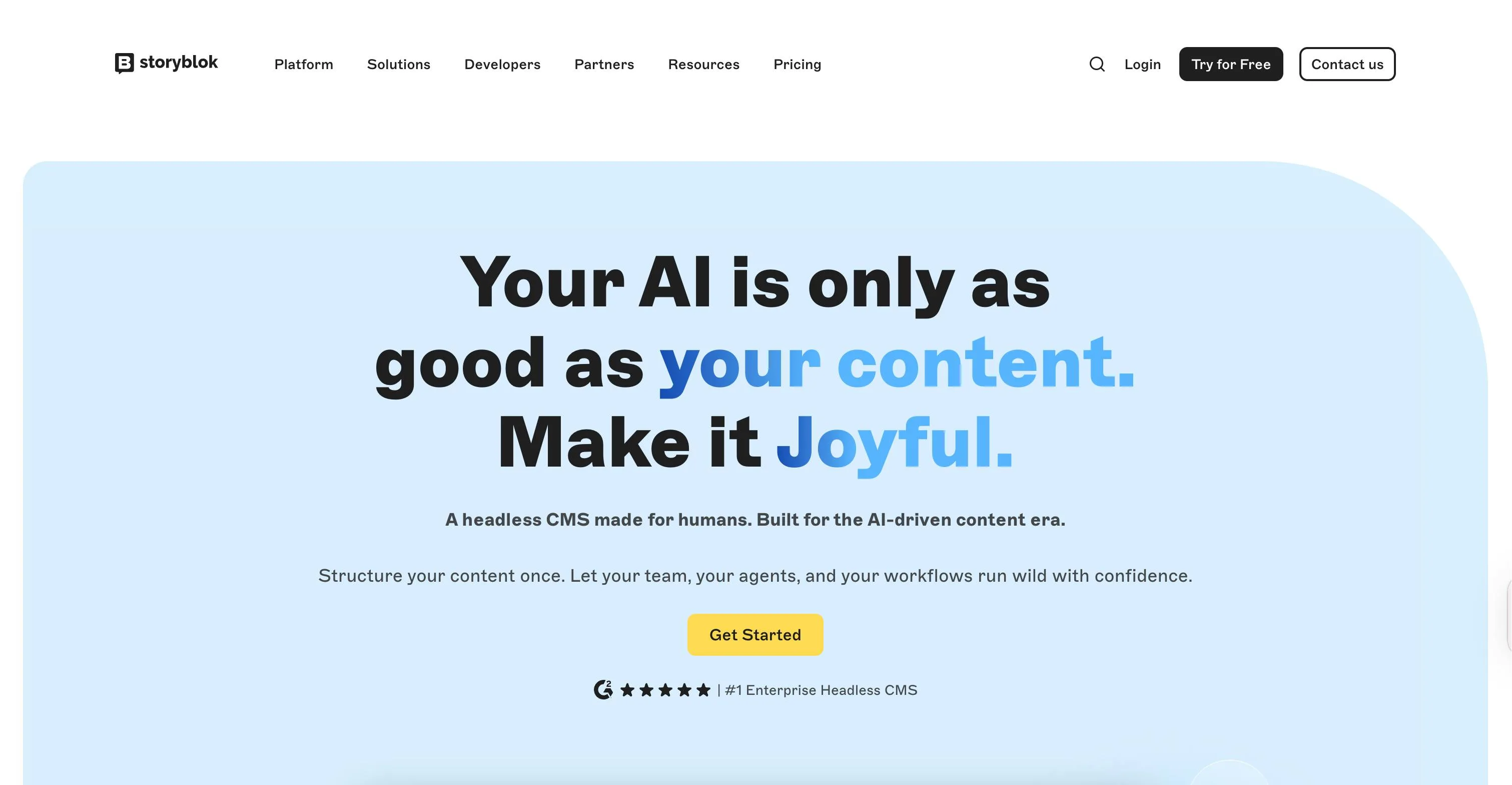
Storyblok is built around a WYSIWYG visual editing experience, designed so that developers and marketing teams can work on the same platform without either side making compromises.
Visual editing strengths
- In-context editing: Editors see their actual page rendered on the left, with editable fields on the right. Clicking any element in the preview highlights the corresponding component and opens its fields instantly.
- Built-in image editor: Images can be cropped, filtered, and edited directly inside the CMS without switching to an external tool.
- Real-time preview: Changes made in the editor reflect in the preview pane immediately, with no build trigger or page refresh required.
- Component-based page building: Pages are assembled from reusable content blocks called bloks. Editors can insert, reorder, nest, and remove components directly from the visual interface.
Limitations
- Like Sanity, the Visual Editor loads the frontend inside an iframe, meaning sites with strict Content Security Policy headers will need developer adjustments before the editor can load.
Pricing
- Starter (Free)
- Growth (€99/month)
- Growth Plus (€349/month)
- Premium & Elite (Custom)
6. Builder
Best for: teams that want to edit directly on the live page with a true WYSIWYG experience
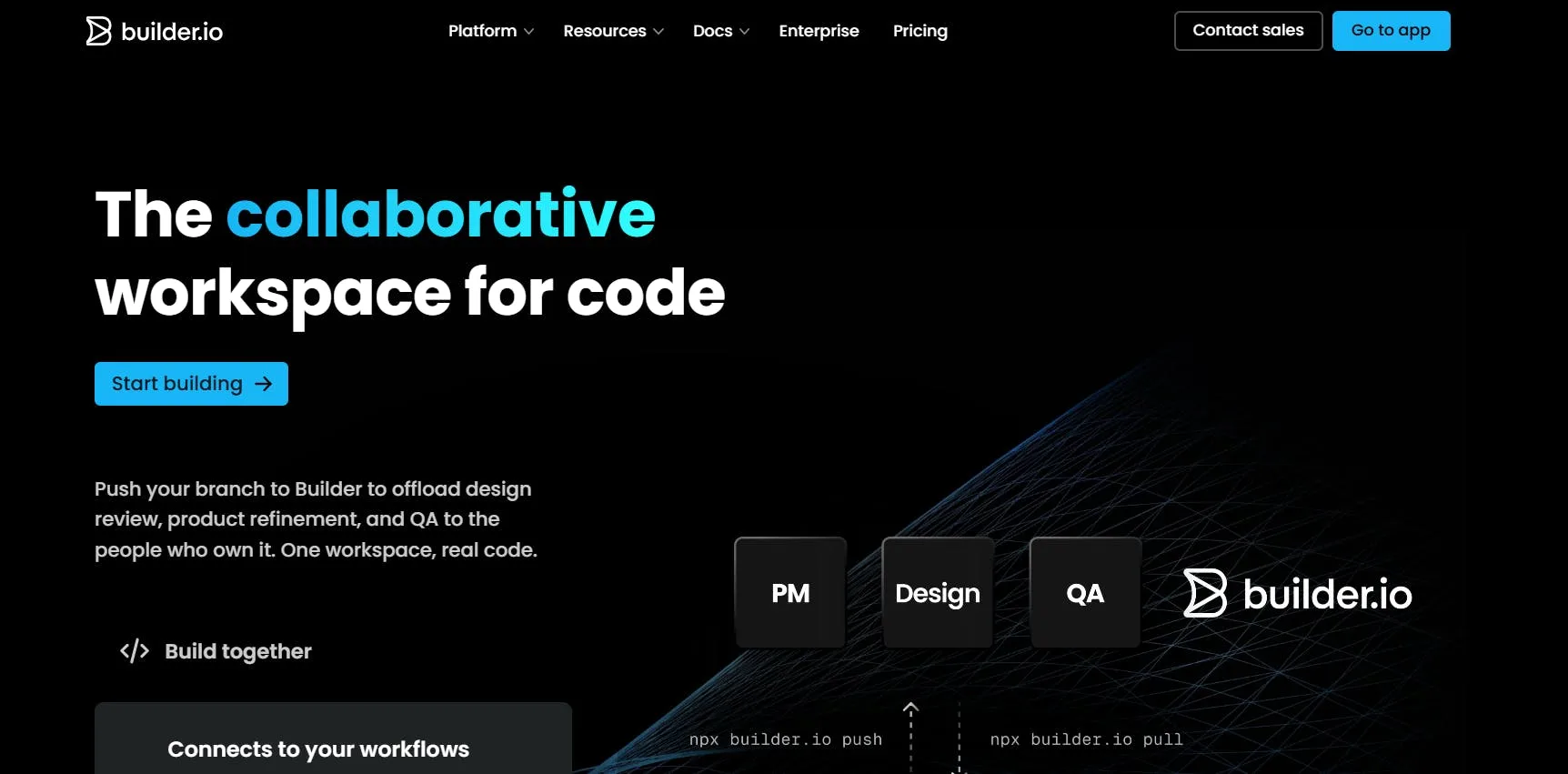
Unlike other platforms we’ve reviewed, Builder d oesn’t position itself as a traditional headless CMS. The solution is designed to meet the needs of four categories of teams: engineering, design, product, and content.
Visual editing strengths
- Components-only mode: Developers can lock the Visual Editor down to only show the components they have pre-built and approved, ensuring consistent branding.
- Visual Sections: Instead of making an entire page editable, you can choose to make just one specific section of a page editable in Builder. That section can then be targeted to different audiences or scheduled to go live at a different time.
- Built-in A/B testing: Content teams can generate page variants using AI and measure performance with built-in A/B testing and heatmaps, all without leaving the editor or relying on a separate testing tool.
Limitations
- Builder requires SDK integration into the frontend before content teams can use the Visual Editor, meaning the initial setup always requires a developer.
Pricing
- Free
- Pro ($24/user/month)
- Team ($40/user/month)
- Enterprise (Custom)
Which headless CMS visual editor is right for your team?
Asking the following questions will help you choose the right headless CMS for your team.
- How much developer involvement is required to get editors up and running? Yes, every headless CMS requires developer setup, but how long before your content team can work independently, and how many features have to be set up by developers first?
- What does the day-to-day editing experience actually look like? Features on paper mean little if the interface is frustrating, so actual usage depends on how easily people can navigate the platform.
- What AI capabilities does the platform offer for content teams? Native AI features like content generation, translation, and page scaling can significantly reduce the time between the ideas you have and when you hit “Publish.”
- What built-in features come with the platform versus what require a third-party integration? Capabilities like localization, scheduling, SEO controls, personalization, and experimentation may or may not be native, and the difference affects both workflow and total cost.
WYSIWYG vs. structured content: Why the debate still matters in 2026
WYSIWYG editors let content teams see exactly what they are building as they build it, editing directly on a visual representation of the final page.
Structured content takes a different approach. Instead of editing on a page, content is stored as separate fields and components that can be delivered anywhere via API.
The debate between the two has always come down to two things:
- What makes content flexible and reusable for developers is often what makes the editing experience feel abstract and disconnected for marketers.
- What makes editing feel natural and visual often makes the content harder to repurpose beyond the page it was built for.
Neither approach is inherently better. The right balance depends on your team's priorities, how many channels you publish to, and how much editorial independence matters to your day-to-day workflow.
One thing that keeps this debate relevant in 2026 is AI. As AI-driven search becomes a bigger part of how people discover content, structured content has become even more important.
AI systems and search engines increasingly favor content that is queryable and machine-readable, so the structure beneath the editing experience matters more than ever.
Recap and next steps
All the platforms we’ve reviewed—Prismic, Unlayer, Contentful, Sanity, Storyblok, Builder—are strong options that bring something different to the table. The right choice depends entirely on your team's priorities, technical resources, and how you work day to day.
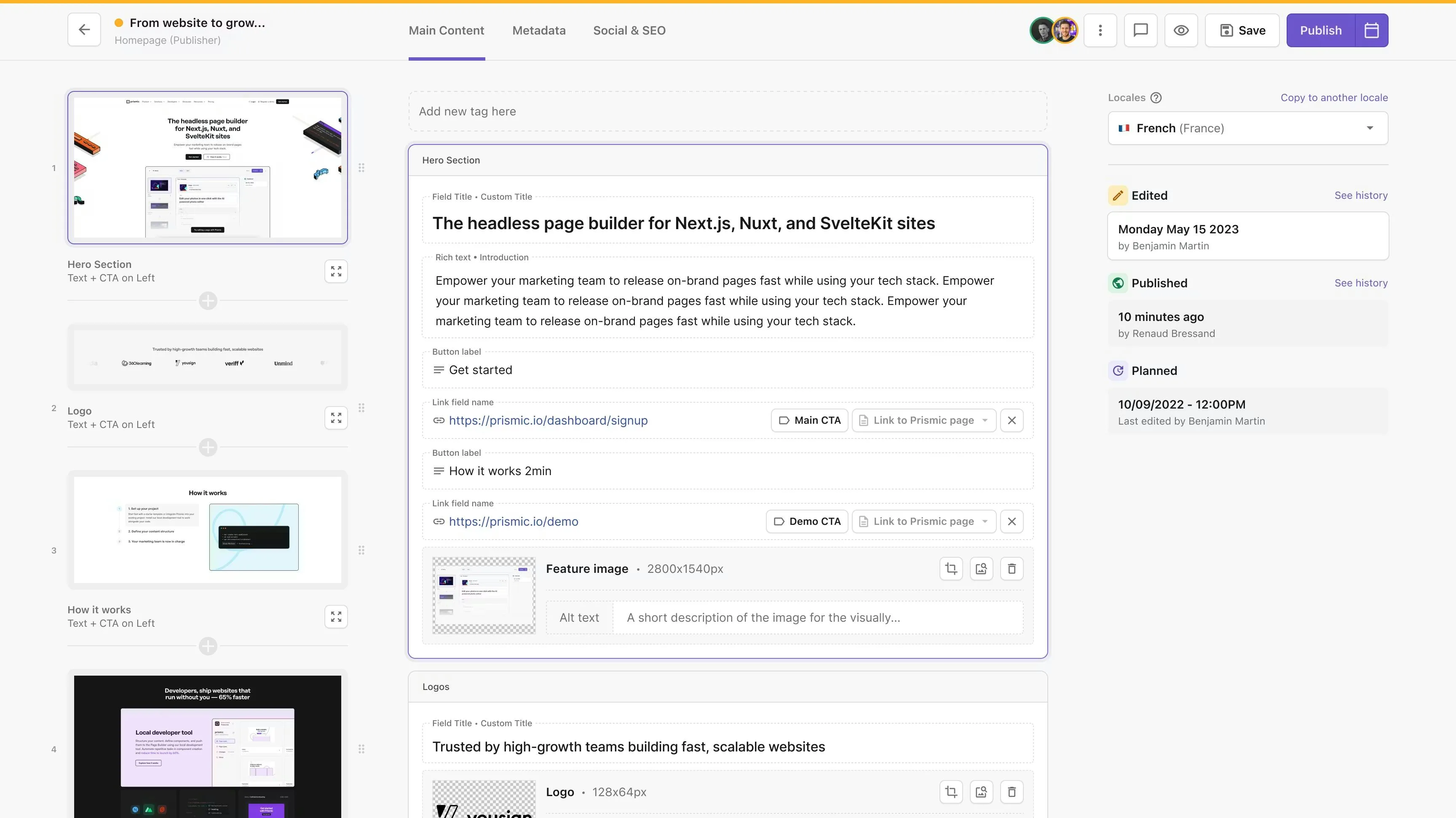
If you are looking for a headless CMS that gives your content and marketing team the ability to:
- Build and publish on-brand pages independently, without filing developer tickets.
- Work with a visual page builder that is fast to set up and easy to use from day one.
- Scale content production with AI-powered landing page generation.
- Maintain brand consistency through a curated library of reusable components.
- Preview changes in real time before anything goes live.
Then Prismic is the right fit. You can get started with Prismic for free, explore the platform at your own pace, or book a demo with our product experts for a more guided experience.
FAQs
Which headless CMS has the best visual editor in 2026?
No single headless CMS has the best visual editor, as each platform brings different strengths and is built for different teams and workflows.
• Prismic excels at giving marketing teams a fast and marketer-friendly page builder, powered by reusable components called slices
• Unlayer is best suited for SaaS products that want to embed a no-code editor directly into their own platform
• Contentful stands out for enterprise teams that need brand guardrails and built-in personalization
• Sanity is the strongest option for teams that want a fully customizable editing environment built around structured content
• Storyblok leads with a true WYSIWYG experience where editors build and edit directly on the live page
• Builder is the go-to for teams that need visual editing combined with native A/B testing and audience targeting
Does headless CMS support live preview?
Yes, most modern headless CMS platforms support live preview in some form, though the quality varies between platforms.
With live preview, editors can see their changes in real time directly inside the CMS. Change a headline, swap an image, reorder a section, and it updates on the spot before anything goes live. This allows you to see what your visitors will see before you hit publish.
What is Prismic's Slice Machine?
Slice Machine is Prismic's local development tool that lets developers build and manage reusable page sections, called slices, directly within their codebase.
Once configured via code, the slices are accessible to marketers through the visual Page Builder. Marketers can then use the slices to independently create and launch brand-accurate pages.
What's the difference between a "preview" and a "live preview"?
A preview is a staging version of your page that you trigger manually. It builds and deploys your changes to a separate environment so you can review them before publishing.
A live preview, on the other hand, is a real-time window built directly into the visual editor. It sits side by side with your editing interface, so as you make changes, you can immediately see how the page looks without switching tabs, triggering a build, or asking a developer to check anything for you.
What is the difference between a page builder and a headless CMS?
A headless CMS stores and manages your content and delivers it to your frontend through an API. A page builder is the visual interface that lets marketers arrange that content into pages without writing code.
They are not competing tools. A headless CMS handles content storage and delivery. A page builder handles the editing experience on top of it. The best headless CMS platforms for marketing teams offer both.
In Prismic, developers use Slice Machine to build reusable page sections called slices, and marketers use the Page Builder to assemble those slices into pages independently, without developer involvement.
Will switching to a headless CMS mean marketers lose independence and rely more on developers?
No, it won't. Modern headless CMS platforms are built to give marketing teams more autonomy, not less. Here are a few ways they do this:
• Visual page builders let marketers create and publish pages using pre-built components, without touching code or filing a developer request.
• Real-time live previews mean marketers can see exactly how a page will look before it goes live.
• Reusable components like Prismic's slices are built once by developers and then available for marketers to use freely across any page, any time.
• Built-in tools for SEO, scheduling, localization, and media management mean marketers can handle more of the content lifecycle on their own.
The initial setup requires developer involvement, but once that's done, the day-to-day content work belongs entirely to the marketing team.